Frozen Words - Word Crossy1.5
Publisher Description


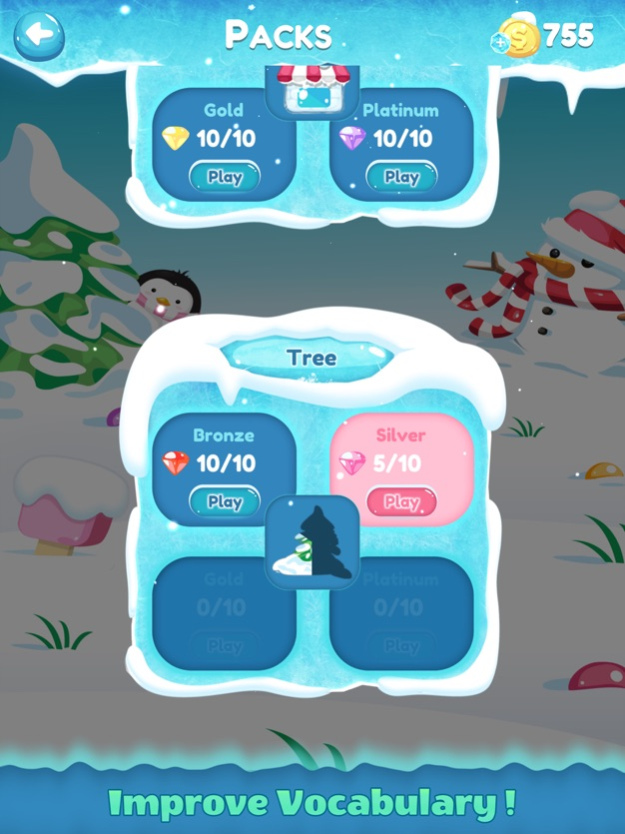

Challenge your word skill with one of the top Word Cookies & Word Connect games!
Do you like memory games or word puzzle games?
Start your brain training journey today by downloading Frozen Words!
Word connect is a casual and addictive word search game for you to find all the hidden words in given letters and connect them any way you like to form the word. Improve your vocabulary and get amazed by how simple looking words of your daily life will test your mind.
2000+ FUNNY, RELAXING & ENJOYABLE WORD PUZZLES!
FEATURES OF WORD CONNECT:
- Find all the hidden words in each puzzle by swiping the letters
- The play stars easy & get challenging gradually
- Shuffle all the tiles on the board for new combinations of words
- Use the hints to uncover the scattered word
- Solve the word puzzle in time and get bonus
- Does not require Internet
- Play with friends
- Best time killer word chef game
- FREE Update!
These are some features that certainly make this word game more fun, relax, & enjoyable compared to other word find & word chef games.
So, what are you waiting for? Download this word connect game today!
Apr 5, 2018
Version 1.5
This app has been updated by Apple to display the Apple Watch app icon.
+ Help added
+ Free coins
+ Contact us
+ Bug fixes
+ Splash added
+ More fun!
About Frozen Words - Word Crossy
The company that develops Frozen Words - Word Crossy is Mrinalini Patel. The latest version released by its developer is 1.5.
To install Frozen Words - Word Crossy on your iOS device, just click the green Continue To App button above to start the installation process. The app is listed on our website since 2018-04-05 and was downloaded 2 times. We have already checked if the download link is safe, however for your own protection we recommend that you scan the downloaded app with your antivirus. Your antivirus may detect the Frozen Words - Word Crossy as malware if the download link is broken.
How to install Frozen Words - Word Crossy on your iOS device:
- Click on the Continue To App button on our website. This will redirect you to the App Store.
- Once the Frozen Words - Word Crossy is shown in the iTunes listing of your iOS device, you can start its download and installation. Tap on the GET button to the right of the app to start downloading it.
- If you are not logged-in the iOS appstore app, you'll be prompted for your your Apple ID and/or password.
- After Frozen Words - Word Crossy is downloaded, you'll see an INSTALL button to the right. Tap on it to start the actual installation of the iOS app.
- Once installation is finished you can tap on the OPEN button to start it. Its icon will also be added to your device home screen.
Program Details
System requirements
Download information
Pricing
Version History
version 1.5
posted on 2018-04-05
Apr 5, 2018 Version 1.5
This app has been updated by Apple to display the Apple Watch app icon.
+ Help added
+ Free coins
+ Contact us
+ Bug fixes
+ Splash added
+ More fun!
